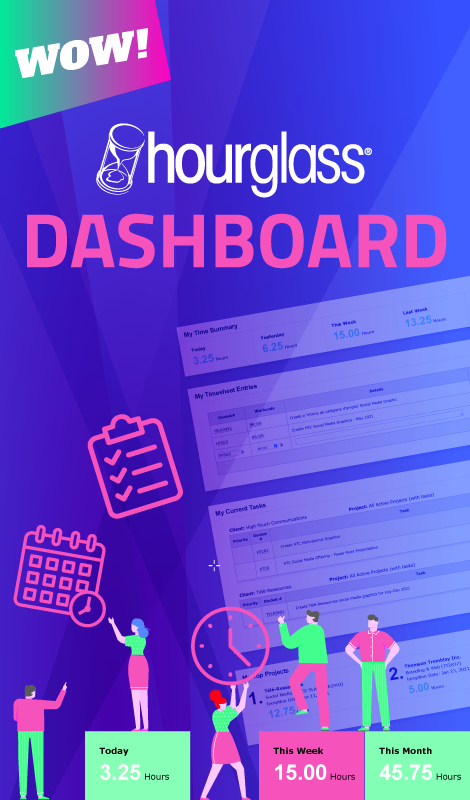








HourGlass was first developed in 2001 for internal use by HTC employees. As our branding and Web clients asked about the platform, it became clear that many other companies were still seeking the perfect time tracking and task management solution.
Current Version
HourGlass is currently on version 3.8, which features major task enhancements & usability improvements. To read more about the updates, consult the Release Notes below.
HourGlass v3.8 Release Notes
| ID | NAME | TYPE | SUMMARY |
|---|---|---|---|
| 1 | Addition of Hours based Timesheet Entries | Feature Enhancement | Added new timesheet entry format which gives users the choice to enter a set number of hours or the Start and End times system. |
| 2 | Optimized Report filtering | Feature Enhancement | Added filters to “Time Reports” and “Expense Reports” to include data from deactivated clients and projects in reports. |
| 3 | Deactivating feedback prompts | Feature Enhancement | Added validation prompt when deactivating a client or project with data entries in the past 60 days. |
| 4 | Task completion feedback prompts | Usability Upgrade | Added validation prompt when checking off a task in “My Tasks”. |
| 5 | HourGlass Mobile enhancements | Usability Upgrade | Updated display to present content more clearly. |
| 6 | Improved Workcode sorting | Feature Enhancement | Updated settings to display workcodes in “Budget Tracker Report” and “Workcode Breakdown” in a sequential order. |
HourGlass v3.7 Release Notes
| ID | NAME | TYPE | SUMMARY |
|---|---|---|---|
| 1 | Employee Comments | Project Manager Feature | Added interface for Employees and Administrators to comment on assigned tasks. |
| 2 | Due Date Alerts | Project Management Upgrade | Updated task assignments to include optional automated email alerts to notify users of pending and overdue tasks. |
| 3 | 'Expand All' Feature for Task Descriptions | Usability Upgrade | Updated the “My Tasks” and “Task Manager” interfaces to include an “Expand All” button to display all task description details. |
| 4 | Optimized Default Filtering | Usability Upgrade | Updated “Task Manager” default settings to show “All Active Projects (with tasks).” |
| 5 | Improved Client and Project Listing Interface | Usability Upgrade | Updated “Task Manager” and Milestone View in “My Tasks” to present Clients and Projects more clearly. |
| 6 | Improved Date Toggling Interface | Usability Upgrade | Updated date selector in “My Time” interface for more consistent positioning. |
| 7 | Forgot Password Improvements | Usability Upgrade | Updated process for password recovery to include confirmation of password recovery email. |
HourGlass v3.6 Release Notes
| ID | NAME | TYPE | SUMMARY |
|---|---|---|---|
| 1 | Advanced Task Description Formatting | Task Enhancement | Rich-text toolbar enables advanced styling and formatting options when writing task descriptions |
| 2 | File Attachment | Task Enhancement | Attach files to task descriptions. Zip file attachment contents are displayed in a listing. Files can be downloaded within the HourGlass application. |
| 3 | File Management | Task Enhancement | Easy-to-use file management system that identifies media attached to task assignments; direct download and batch deletions are available from this listing. 100 MB of disk space is allotted to each customer. |
| 4 | Predictive Docket Text | Usability Improvement | Displays a selectable listing of relevant dockets during docket entry. |
| 5 | Increased Character Limit for Entry Details | Usability Improvment | Detail field for Timesheet and Expense entries expanded to 1000 character limit. |
| 6 | Expanding Entry Details Field | Usability Improvement | Timesheet and Expense entries that span the whole field now wrap automatically onto a new line while the field height is expanded. Entire entries are displayed to reduce clicks and scrolling. Full entries are nopw also displayed in reports. |
| 7 | 'Today' Report Filter | Usability Improvement | 'Today' option is now selectable for defining the report period as current day. |
HourGlass v3.5 Release Notes
HourGlass version 3.5 introduced 15 new features and functions to the platform. To read more about the updates, consult the Release Notes below.
| ID | NAME | TYPE | SUMMARY |
|---|---|---|---|
| 1 | Budget Balance (by Project) Report | New Time Report | The Budget Balance report displays a baseline budget and budget status for a given Project by accounting for work performed and outside expenses from Project Start Date to the user-defined report End Date. |
| 2 | Employee Hourly Cost | Budget Tracking Feature | Employee Hourly Cost can now be assigned to Employees in order to determine project costs and profitability, as well as Payroll for Employees that are paid hourly. |
| 3 | Employee Cost Report | New Employee Report | The Employee Cost report shows the cost of an Employee for a user-defined period of time. |
| 4 | Budget Tracker Report By Employee Cost | Budget Tracking Feature | The Budget Tracker Time Report has been supplemented with a calculation by Employee Hourly Cost. |
| 5 | Non-Billable Project Status | Billing Feature | Projects can be deemed as billable or non-billable. If a Project is non-billable, time will appear as non-billable in all reports. |
| 6 | Project Budget Indication | Budget Tracking Feature | If a Project is billable, a Project budget may now be entered in the currency used throughout the application for use in the new Budget Balance report. |
| 7 | Default Project Start Date | Usability Enhancement | When entering a new Project, the Project Start Date defaults to the entry date rather than remaining blank and forcing a user selection. |
| 8 | Billable Column Inclusion in Project Listing Report | Reporting Enhancement | A column that indicates whether a Project is billable or not was included in the administrative Project Listing report for greater granularity. |
| 9 | Expense Payment Method Drop-Down Menu | Expenses Enhancement | A Payment Method drop-down menu including Cash, Cheque, Credit Card, Debit and On Account was added to the My Expenses form to provide greater granularity to Expense Reports. |
| 10 | Data Retention in Project Form | Usability Enhancement | In the event of a validation failure in submission of the Project form, Client selections are now retained to prevent additional clicking and redundancy in data re-entry. |
| 11 | Task Filtering | Usability Enhancement | Filter selections in Task Manager have been enhanced to address usability issues when switching Clients and Projects. |
| 12 | Task Manager Presentation Updates | Usability Enhancement | Resolved display issues that occurred when modifying tasks for Deactivated Projects. |
| 13 | Report Presentation Updates | Reporting Enhancements | Improved the presentation of all reports in HTML and Excel formats. |
| 14 | Help Documentation Update | Documentation Update | Feature updates affecting existing functionality and new feature additions were added to the HourGlass Wizard Tutorial, User Manual, Getting Started Guide documentation and contextual help menu. |
| 15 | Demo Accounts | Free Trial Upgrade | Fully-functioning demo accounts were created to provide fast, risk-free access to the HourGlass application. Pre-populated sample data provides users a method by which to understand the information flow throughout the application. User-generated entries are reset nightly. |
HourGlass v3 Release Notes
HourGlass version 3 introduced 50 new features and functions to the platform. To read more about the updates, consult the Release Notes below.
| ID | NAME | TYPE | SUMMARY |
|---|---|---|---|
| 1 | One-click Menu System | Usability Upgrade | Directly access any page on the navigation bar by hovering over a section tab, then clicking on the desired second level page. |
| 2 | Microsoft Excel Task Upload Feature | Project Management Upgrade | Enabled Task Manager to receive XML uploads from a Microsoft Excel template to populate and update multiple Tasks at once. |
| 3 | Microsoft Excel Report Exports | Reporting Upgrade | All Reports can now be exported in Microsoft Excel 2007 or Excel 97-2003, as well as HTML. |
| 4 | Task Email Notifications | Project Management Feature | Additional feature allowing managers to notify Employees by email when adding or modifying Tasks. Email notifications are disabled by default, but can be enabled at any time in Preferences. |
| 5 | Applicable Taxes | Administration Upgrade | Created the "Taxes Charged" tab to allow Administrators to specify default Tax information and Tax Numbers to appear on the Billings Report. |
| 6 | Tax Calculations | Billing Feature | Updated the "Add Client" form to select Taxes Charged on a per-client basis. Taxes are then automatically calculated when Billings Reports are generated. |
| 7 | Recurring Charges | Billing Feature | Updated the “Add Project” form to include Recurring Charges. Billings Reports apply the Recurring Charges to Client invoices, as specified for each Project. |
| 8 | Employee Resource Report | Reporting Upgrade | Created a new Report to show which Tasks have been assigned in a per-Employee listing, with hour estimates for completed Tasks and Tasks remaining, for a user-defined period of time. |
| 9 | Employee Billable Ratio Report | Reporting Upgrade | Created a new Employee Billable Ratio Report showing how much time each Employee spent on billable work during the selected time period in the "Time Reports" sub-section. |
| 10 | Delinquent User Alerts | Project Management Feature | Established an alert system whereby managers can opt-in to receive alerts by email when an Employee's Timesheet for the previous day has no entries (weekends are excluded). Delinquent User Alerts are disabled by default, but can be enabled at any time in Preferences. |
| 11 | Task Manager Page Reload | Project Management Upgrade | Improved the presentation of modified Tasks in Task Manager, allowing Tasks to be be added, modified or deleted without full page reload by reloading specific Projects. |
| 12 | Completed Task Alerts | Project Management Feature | Implemented an optional feature notifying managers by email when Employees complete Tasks. Completed Task Alerts are disabled by default, but can be enabled at any time in Preferences. |
| 13 | Wizard Improvements | Usability Enhancement | Established a more streamlined Company setup process, allowing new users to go through the Wizard more quickly if they are satisfied with the defaults. Improved documentation aids first-time users as they learn to use HourGlass tools. |
| 14 | Automatic End Time | Usability Upgrade | Implemented an automatic function allowing users to submit a Timesheet entry and populate the current time in the "End Time" field simultaneously by pressing the "Enter" key. |
| 15 | Page Loads | Optimization | Reduced loading times by refreshing data by section and not by page. |
| 16 | Licensing and Payments Integration | Administration Upgrade | Introduced new interface to simplify management of Licenses and Payments. |
| 17 | Total Milestone and Task Hours | Project Management Upgrade | Updated Task Manager to display a dynamically-updated total of estimated hours for a Project, indicated below the Milestone description. Milestone estimates are indicated in the Hours column, allowing Project Managers to compare estimates and track budgets. |
| 18 | Feedback System | Feature Enhancement | Updated the HourGlass feedback system to track user inquiries within the system, providing faster response time to feedback. |
| 19 | Excel Exports Retain Formulas | Reporting Upgrade | Formulas are now retained in Microsoft Excel Report export files. |
| 20 | Billing Terms | Billing Feature | Updated the "Add Client" form to include specific Terms. Billings Reports retain the Terms indicated for each Client. |
| 21 | Client Contact Listing Report | Reporting Upgrade | Created a Client Contact Listing Report in the "Administration Reports" section, generating a detailed list of Contacts for all active and/or inactive Clients. |
| 22 | Client Listing Report | Reporting Upgrade | Added a Client Listing Report in the "Administration Reports" section, generating a detailed list of active and/or inactive Clients. |
| 23 | Reports Section Interface Improvement | Usability Upgrade |
Improved the usability of the Reports section by implementing global filters, allowing users to generate multiple reports based on the same selection criteria. |
| 24 | Employee Listing | Reporting Upgrade | Added an Employee Listing Report in the "Employee Reports" section, displaying Employees and their profile information (optional). |
| 25 | Project Listing Report | Reporting Upgrade | Developed a Client Contact Listing Report in the "Administration Reports" section, generating a list of Projects for a user-defined period of time. |
| 26 | Time Reports | Reporting Upgrade | Enhanced presentation of Time Reports, allowing users to filter by Client or Project with the page reloading or moving. |
| 27 | Time and Expense Reports | Reporting Upgrade | Added "Start of Project" date selector to the Reports section. |
| 28 | Licensing Alerts and Notifications | Administration Upgrade | Improved the presentation of Licensing-related warning messages and alerts to notify users when action is required. |
| 29 | List View | Project Management Upgrade | Improved the standard List View in My Tasks, now displaying them in ascending Due Date order and allowing users to sort by column header. |
| 30 | Milestone View | Project Management Upgrade | Added the Milestone View in My Tasks to facilitate viewing Tasks grouped by Milestone. |
| 31 | Task Filtering | Usability Upgrade | Improved Task filtering capabilities by adding the Status filter and enhancing the display of date selectors and current status in My Tasks, Task Manager and Project Reports. |
| 32 | Project Filtering | Usability Upgrade | ‘All Active Projects (with Tasks)’ is the new default filter setting in My Tasks and Task Manager. |
| 33 | Add/Modify Task Pop-ups | Project Management Upgrade | Updated the display of the Add/Modify Tasks pop-ups to improve usability. |
| 34 | Task Modification Tally | Project Management Upgrade | A tally of Task modifications is recorded for each Project. |
| 35 | Delete Confirmations | Usability Upgrade | Added confirmation pop-up to prevent accidental Task deletions. |
| 36 | Task Assignment Improvement | Usability Upgrade | Task Manager now displays "OT" in the listing when "Other" is selected. |
| 37 | Back to Top Links | Usability Upgrade | Added Back to Top links in Task Manager after each Client to improve navigation for longer listings. |
| 38 | Time Zones Adjustment | Usability Upgrade | Enhanced to support multiple time zones, configured on a per-Employee basis in the Preferences section. All Timesheet entries are automatically converted to the curent user's time zone. |
| 39 | Original Time Zone Retention | Usability Upgrade | Implemented the ability to view entries in their original time zone and remove the time zone column if undesired. |
| 40 | Sample Retention | Usability Enhancement |
Sample Rates, Workcodes and Expenses that were available for selection in the Wizard Tutorial remain accessible in the application after setup. |
| 41 | Date and Time Handling | Usability Upgrade | Users can now choose between a 12-hour or 24-hour clock format in which to view and complete Timesheets. |
| 42 | Expense List Update | Project Management Upgrade | Commas now accepted in the Amount field, in addition to decimals. |
| 43 | Calendar Additions | Usability Upgrade | Added calendar to all pages with date fields (pre-populated with current date). |
| 44 | Province/State Selectors | Administration Upgrade | Optimized the interface of the Licenses and Company sub-sections in the Administration section by filtering the Province/State list based on the Country selected. |
| 45 | Full Access/Clear Privileges | Administration Upgrade | Added "Full Access" and "Clear" buttons allowing Administrators to grant or revoke full access privileges to Employees in one click. |
| 46 | Details Entries | Cosmetic Enhancement | Corrected the alignment of long description entries in Timesheets. |
| 47 | New Client and Projects Integration | Administration Upgrade | Created a workflow from adding a Client to adding a Contact and/or a Project. |
| 48 | Task Completion Enhancement | Usability Upgrade | Checking off Tasks as completed no longer reloads the entire page. |
| 49 | Login Page Bookmark | Usability Upgrade | Added the ‘Bookmark this page’ link to the login page, allowing users to save the location easily. |
| 50 | Client and Contact Listings | Usability Enhancement | Reorganized the presentation of Client Contacts and Clients to simplify management. |